

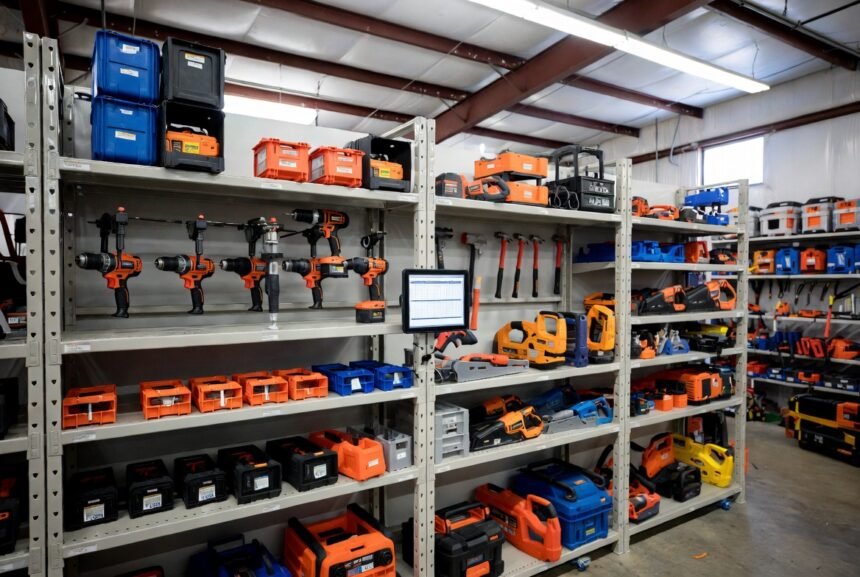
Tool tracking software helps contractors, maintenance teams, and small businesses keep tabs on tools, equipment, and inventory so nothing goes missing or sits unused. Lost or underused tools cost U.S. companies thousands of dollars a year in replacements and downtime. The right system gives clear visibility without adding complicated steps to the workday.
Key Takeaways
- Tool tracking software records location, assignment, condition, and history using barcodes, QR codes, or Bluetooth tags scanned from a phone or tablet.
- Most easy-to-use systems need no special hardware — printed QR labels costing a few cents each are enough to get started.
- Solo contractors and small crews are well served by mobile-first, low-cost or free options; larger operations need multi-location tracking, audits, and maintenance alerts.
- Offline mode matters for field crews — look for it specifically if job sites have weak cell service, since not every platform includes it.
- Adoption, not features, is the biggest factor in success. Systems that are slow or confusing on a phone tend to get abandoned within weeks.
What Is Tool Tracking Software?
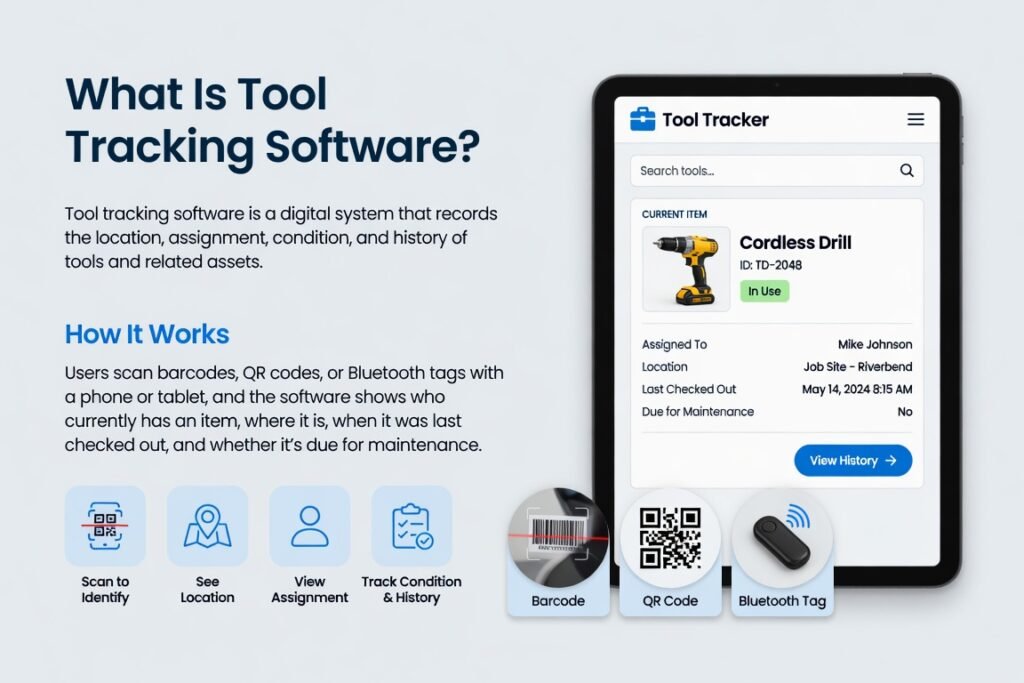
Tool tracking software is a digital system that records the location, assignment, condition, and history of tools and related assets. Users scan barcodes, QR codes, or Bluetooth tags with a phone or tablet, and the software shows who currently has an item, where it is, when it was last checked out, and whether it’s due for maintenance.
Modern platforms run as both mobile apps and web dashboards. Many support offline mode so field crews can log transfers even without a strong signal, syncing automatically once they’re back online. Common features include check-in/check-out, automatic alerts for overdue items, simple audits, and basic reporting — and some systems extend the same tracking to kits, vehicles, and consumables.
The core value is accountability. When anyone can check an item’s status in a few taps, fewer tools disappear and less time gets wasted searching for them.
How Different Teams Use Tool Tracking Software
Different teams need different levels of control, and the right system depends heavily on inventory size and crew structure.
| User Type | Typical Inventory Size | Main Pain Points | Best-Fit Features | Expected Benefit |
|---|---|---|---|---|
| Light user (solo contractor or DIY homeowner) | 20–80 tools | Occasional lost items, no shared system | Simple mobile app, photo catalog, free or low-cost plan | Quick inventory list and basic location notes |
| Small crew (2–10 people) | 100–400 tools | Tools left on job sites, no clear ownership | Check-out by person or vehicle, QR scanning, notifications | Reduced replacement costs, faster job starts |
| Mid-size contractor | 400–2,000 tools | Multiple job sites, tool hoarding | Multi-location tracking, audits, transfer history | Better utilization, fewer last-minute purchases |
| Larger firm or facility team | 2,000+ tools & equipment | Compliance, maintenance schedules, high loss | Advanced reporting, maintenance alerts, role-based access | Lower overall tool spend, clearer accountability |
Light users often start with a free or low-cost mobile-first option and track only high-value power tools. Small crews get the most value from shared check-out, so everyone knows who currently has the laser level or impact driver. Larger operations typically need stronger reporting and integration with existing job-costing systems.
Choosing and Setting Up a System, Step by Step
- List your highest-value or most frequently lost tools first. Start small instead of trying to catalog everything on day one.
- Decide whether you need software alone or software plus physical tags — QR labels, Bluetooth beacons, or RFID. Most easy-to-use systems work with simple printed QR codes costing a few cents each.
- Test two or three platforms on a free trial or free tier, focusing specifically on how fast a field worker can check a tool in or out from a phone.
- Import or photograph your starting inventory. Many systems accept spreadsheet uploads or let you snap a photo and add a name on the spot.
- Train the team with a short walkthrough, framing the system as something that protects everyone’s time rather than adding extra work.
- Run a short weekly audit of high-value items for the first month to build the habit before expanding to full inventory tracking.
Common Platforms Worth Comparing
- ShareMyToolbox — a mobile-first platform built around simple scanning, crew assignments, and audits, with no hardware required.
- Milwaukee ONE-KEY — a manufacturer-linked system offering free Bluetooth tracking for compatible Milwaukee tools, though it’s limited to that ecosystem.
- Sortly — a lightweight, photo- and barcode-based visual inventory tool that suits smaller inventories well.
- ToolWatch and Asset Panda — more structured platforms that scale from a single tool crib to multi-site operations while still offering mobile apps.
- GoCodes — a newer option frequently recommended for mid-size operations in the 200–2,000 tool range, combining QR tracking with included hardware and clearer pricing.
Pricing varies by number of assets, features, and current promotions, and ranges widely — some platforms offer a free tier for small inventories, while enterprise-grade systems can run into the thousands per year. Check each provider’s current plan details before committing, and prioritize solutions that let field workers operate the system without logging into a complicated desktop interface.
Practical Tips for Better Adoption
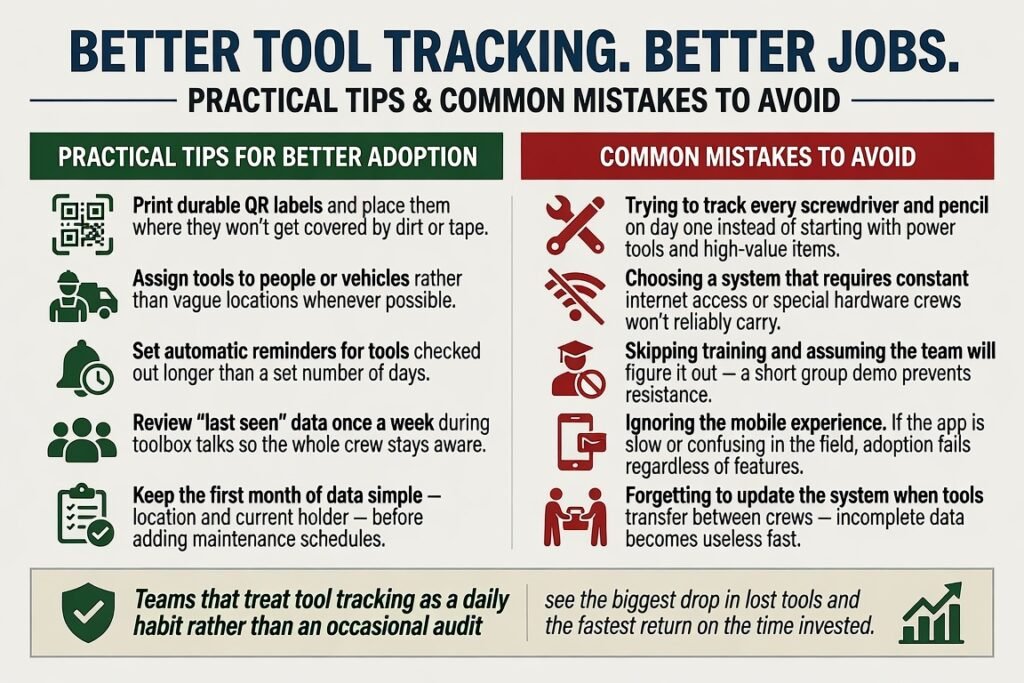
- Print durable QR labels and place them where they won’t get covered by dirt or tape.
- Assign tools to people or vehicles rather than vague locations whenever possible.
- Set automatic reminders for tools checked out longer than a set number of days.
- Review “last seen” data once a week during toolbox talks so the whole crew stays aware.
- Keep the first month of data simple — location and current holder — before adding maintenance schedules.
Common Mistakes to Avoid
- Trying to track every screwdriver and pencil on day one instead of starting with power tools and high-value items.
- Choosing a system that requires constant internet access or special hardware crews won’t reliably carry.
- Skipping training and assuming the team will figure it out — a short group demo prevents resistance.
- Ignoring the mobile experience. If the app is slow or confusing in the field, adoption fails regardless of features.
- Forgetting to update the system when tools transfer between crews — incomplete data becomes useless fast.
Teams that treat tool tracking as a daily habit rather than an occasional audit see the biggest drop in lost tools and the fastest return on the time invested.
Conclusion
Easy-to-use tool tracking software removes the daily friction of searching for equipment and guessing who has what. Whether you run a one-person operation or manage multiple job sites, a clear digital system delivers visibility, accountability, and measurable cost savings. Start with the tools that matter most, pick a platform the team will actually open on their phones, and keep the process simple. The payoff is fewer missing items, less downtime, and more time spent on productive work.
FAQ
Do I need special hardware to start using tool tracking software?
No. Most easy-to-use systems work with free or low-cost printed QR codes and a regular smartphone. Bluetooth or GPS tags are optional upgrades for higher-value assets.
Can light users or solo contractors benefit from tool tracking software?
Yes. Even a simple photo-based inventory list helps solo contractors remember what they own, where it’s stored, and when it was last serviced.
How long does it take to set up a basic system?
Many teams complete a usable starting inventory in one afternoon by photographing tools and adding names. Full rollout across a small crew often takes one to two weeks.
Will the software work offline on job sites with poor reception?
Several popular platforms include offline mode so users can scan and log transfers, then sync once a connection returns — but not all do, so confirm this feature before choosing a system.
How often should I run audits?
Weekly quick checks on high-value tools work well for most crews. Full inventory audits can shift to monthly or quarterly once the system is established.