


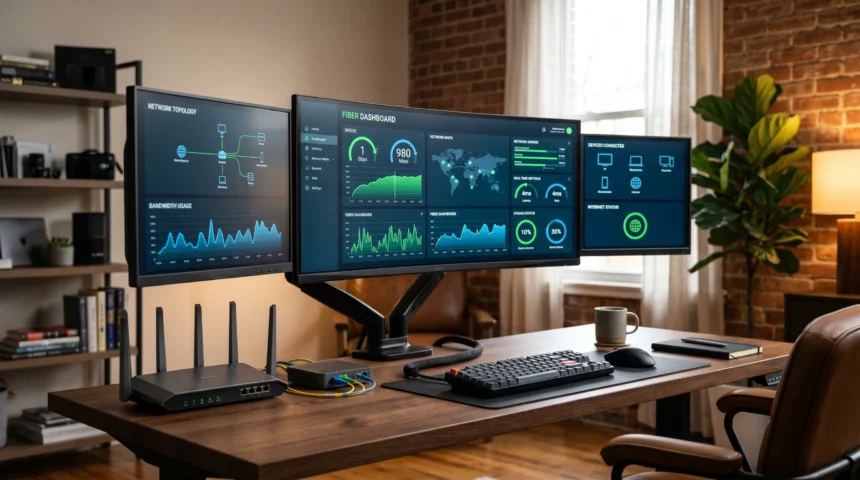
5 Gig internet delivers up to 5,000 Mbps (5 Gbps) of symmetrical download and upload speed over a fiber-optic connection — fast enough to download a 100 GB game in roughly 2–3 minutes on a wired setup. It’s now a mainstream tier from major fiber providers, though it’s no longer the fastest option on the market: Frontier and Google Fiber have both pushed past it with 7 Gig and 8 Gig plans.
Key Takeaways
- 5 Gig = 5,000 Mbps symmetrical — uploads are just as fast as downloads, unlike cable internet.
- Available from AT&T Fiber, Frontier Fiber, and Google Fiber, with pricing generally between $89 and $155/month depending on provider and region.
- A 100 GB file transfers in about 2–3 minutes on a wired 5 Gig connection with compatible hardware.
- Most households don’t need it. A family of four streaming, gaming, and working from home is typically well served by 1–2 Gig.
- Wi-Fi rarely delivers full speed. You need Cat6a (or better) Ethernet and a multi-gig router to actually see 5 Gbps.
What Is 5 Gig Internet, Exactly?
5 Gig internet — sometimes listed as “5000 Mbps” or “Fiber 5 Gig” — is a residential fiber-optic tier offering symmetrical upload and download speeds of up to 5 Gbps. Because it runs over fiber rather than copper or coaxial cable, it carries data as light pulses, which keeps latency low and throughput stable even under heavy load.
The defining feature isn’t just the download number — it’s the symmetry. Cable internet plans advertising similarly fast downloads typically cap uploads at a fraction of that speed. A 5 Gig fiber plan uploads just as fast as it downloads, which matters for anyone sending large files, backing up to the cloud, or livestreaming.
Who Actually Needs 5 Gig Internet?
For most homes, 5 Gig is more capacity than they’ll ever touch. It earns its price tag in specific, demanding situations:
- Content creators and video editors moving 4K/8K footage or large project files to cloud storage or collaborators.
- Households with 20+ connected devices — smart home gear, multiple 4K/8K streams, gaming, and remote work running at once.
- Competitive gamers and live streamers who need headroom for simultaneous low-latency gameplay and high-bitrate upload.
- Small businesses or home offices handling large data transfers, video conferencing, and cloud-based tools simultaneously.
Everyone else — a single user or small household mostly browsing, streaming HD/4K, and video calling — is typically well covered by 100–500 Mbps, and a family juggling remote work, school, and gaming is comfortably served by 1–2 Gig.
Household Speed Needs at a Glance
| Household Type | Typical Activities | Recommended Speed | Is 5 Gig Worth It? |
|---|---|---|---|
| Light user (1–2 people) | Browsing, email, 1–2 HD streams | 100–500 Mbps | No — significant overkill |
| Average family | 4K streaming, remote work/school, gaming | 1–2 Gig | Not necessary, but future-proofs the home |
| Power user / smart home | 20+ devices, 8K, VR, heavy uploads | 2–5 Gig | Yes — noticeably reduces lag and wait times |
| Content creator / small business | Large file workflows, multiple simultaneous users | 5 Gig+ | Yes — often essential for workflow efficiency |
Which Providers Offer 5 Gig Internet in 2026?
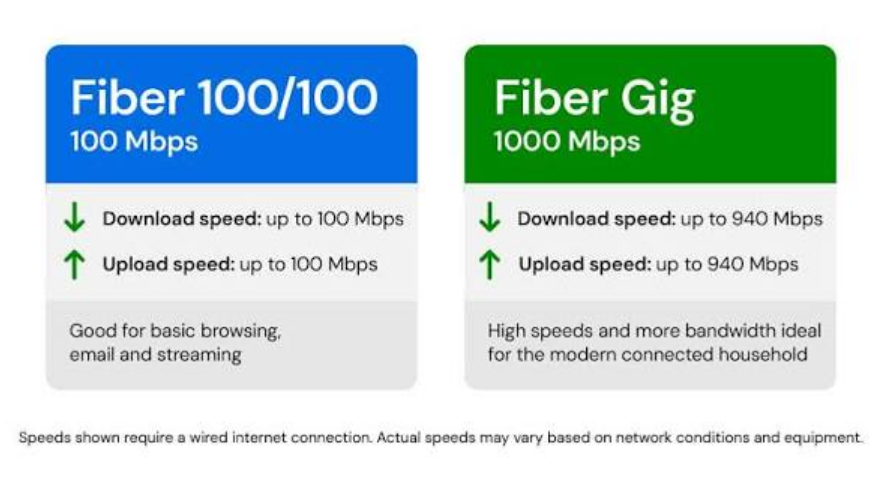
Availability is still limited to fiber-served areas, mostly in urban and suburban markets, but the major players have converged around similar tiers:
- AT&T Fiber offers a 5 Gig plan priced around $140–180/month depending on region and promotions, alongside lower 1 Gig and 2 Gig tiers. AT&T locks in your rate for the life of the plan rather than raising it after an introductory period.
- Frontier Fiber prices its 5 Gig tier around $155/month and, notably, now also offers a 7 Gig plan — currently the fastest residential fiber tier available from a major U.S. provider.
- Google Fiber prices 5 Gig service around $125/month, undercutting Frontier at the same speed, and has introduced an 8 Gig tier for households that want even more headroom.
Pricing shifts often with regional promotions, autopay discounts, and bundling, so it’s worth checking current offers directly on each provider’s site before deciding. Coverage is expanding but still concentrated in areas with built-out fiber infrastructure.
What Counts as a Good Speed Test Result?
Advertised speeds are “up to” figures — actual throughput depends on your equipment, wiring, and network conditions. Test with a wired connection on a device with a multi-gig network card for an accurate read.
| Plan Tier | Expected Download (Wired) | Expected Upload (Wired) | Good Latency |
|---|---|---|---|
| 1 Gig | 900–940 Mbps | 900–940 Mbps | Under 20 ms |
| 2 Gig | 1,800–1,950 Mbps | 1,800–1,950 Mbps | Under 15 ms |
| 5 Gig | 4,000–4,900+ Mbps | 4,000–4,900+ Mbps | Under 10 ms |
Consistent wired speeds above 80–90% of the advertised rate are considered excellent. Wi-Fi speeds will run noticeably lower — a Wi-Fi 6E or Wi-Fi 7 router and a mesh setup help close that gap.
How to Get the Most Out of a 5 Gig Plan
- Check availability on the provider’s site by entering your address — fiber coverage is still regional.
- Confirm your hardware supports it. Most off-the-shelf routers and older devices top out well below 1 Gbps; you’ll need a multi-gig router and a 5 Gbps-capable network card to see real gains.
- Use Cat6a or better Ethernet cabling for any device where speed matters — desktops, NAS drives, gaming consoles.
- Request professional installation with a 10 Gig-capable ONT/fiber jack so the connection isn’t bottlenecked at the entry point.
- Enable QoS settings on your router to prioritize traffic for the devices and applications that need it most.
- Keep firmware updated on your router and connected devices — outdated firmware is one of the most common causes of underperforming multi-gig connections.
Why This Matters
The gap between “fast enough” and “5 Gig fast” comes down to concurrent, heavy use rather than raw browsing speed. A single person streaming Netflix will never notice the difference between 500 Mbps and 5 Gbps. But a household running multiple 8K streams, cloud backups, video calls, and large uploads at the same time will feel 5 Gig’s headroom immediately — files that used to take hours move in minutes, and nothing has to compete for bandwidth.
The practical takeaway: match the plan to actual usage, not the biggest number on the page. Overpaying for unused capacity is common in this market, and providers have little incentive to talk you out of the more expensive tier.
FAQ
Is 5 Gig internet worth it for a typical family?
Usually not. Most families are well served by a 1–2 Gig plan. 5 Gig makes sense if you have many simultaneous high-bandwidth users or want to future-proof the home for several years.
Can I get full 5 Gig speeds over Wi-Fi?
Rarely. Wireless speeds are limited by interference, distance, and device capability. To approach 5 Gbps you need a wired Ethernet connection with compatible hardware.
Which providers offer 5 Gig plans?
AT&T Fiber, Frontier Fiber, and Google Fiber all offer 5 Gig tiers in select markets as of 2026. Frontier and Google Fiber have since added even faster 7 Gig and 8 Gig options.
What equipment do I need for 5 Gig internet?
A multi-gig-capable router, Cat6a (or higher) Ethernet cabling, and a device with a 5 Gbps+ network card. Providers typically supply a compatible ONT as part of installation.
How does 5 Gig compare to 1 Gig in real life?
Roughly five times faster on paper, with the biggest real-world difference showing up in large file transfers and heavy simultaneous use — day-to-day browsing and single-stream video won’t feel any different.